
 AUTO CAPTIONS · iOS 26+
Cut your clips. The captions follow.
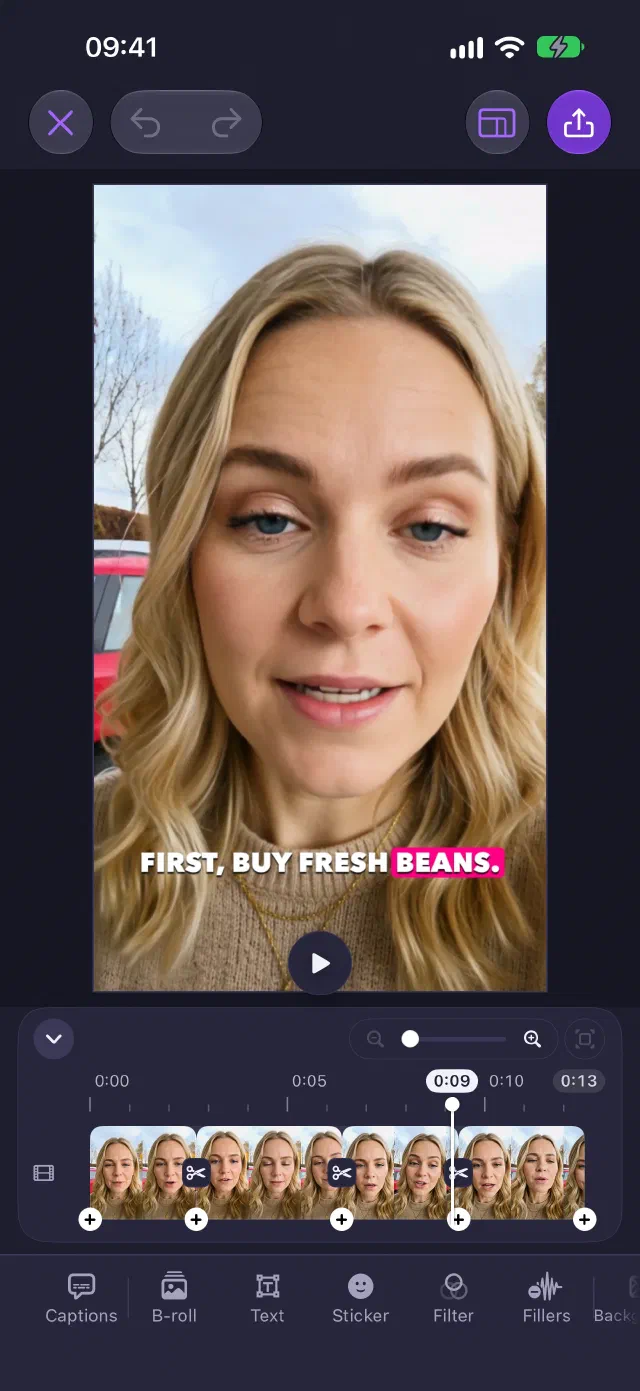
You filmed it in several takes. Captwick joins the clips and captions them in one place: split, trim and reorder, and every caption stays on its words. Nothing is transcribed again, and nothing leaves your iPhone.
Three things it does properly.
Built for videos you shot in more than one take.
Captions that follow every edit
Split at the playhead, trim an edge, reorder, duplicate or delete a clip, and the captions move with their words. Nothing is transcribed again.
Made on your iPhone
Captions come from Apple's on-device speech recognition. Your videos and audio are not uploaded, and there is no account.
Styled and ready to post
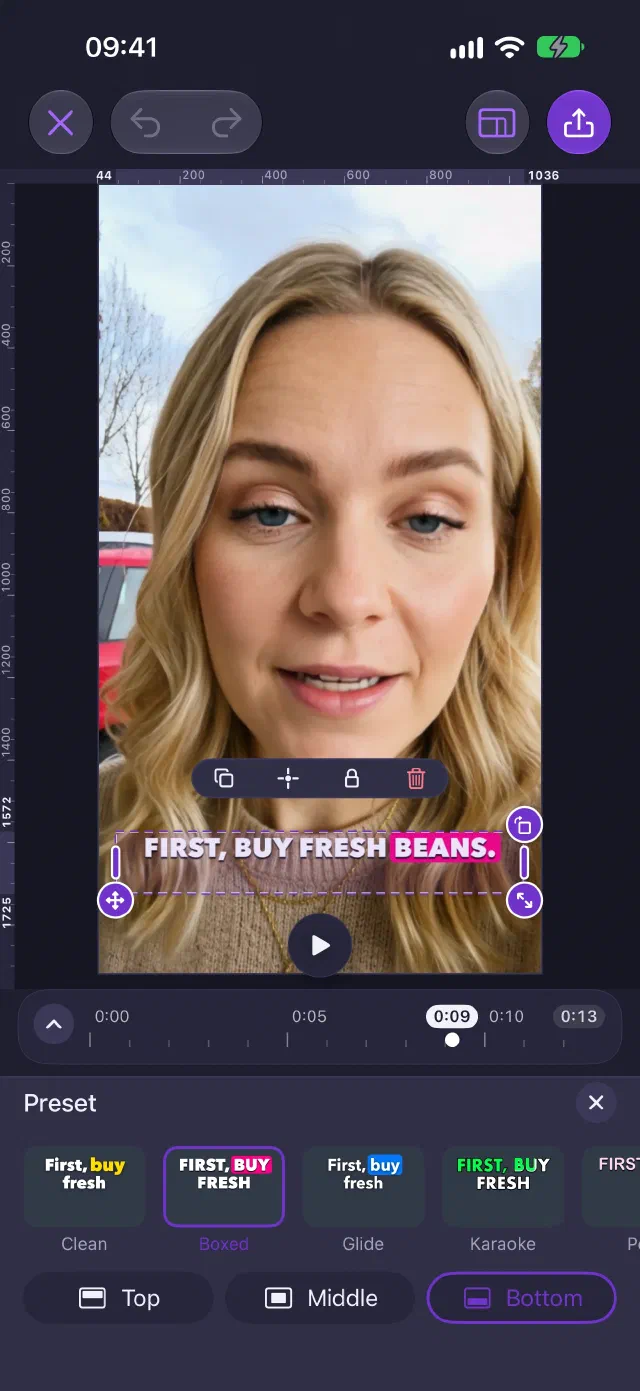
Caption styles with word-by-word highlights in your fonts and colors, transitions between clips, and export up to 4K at up to 60 fps, or the captions alone as SRT.
From takes to posted.
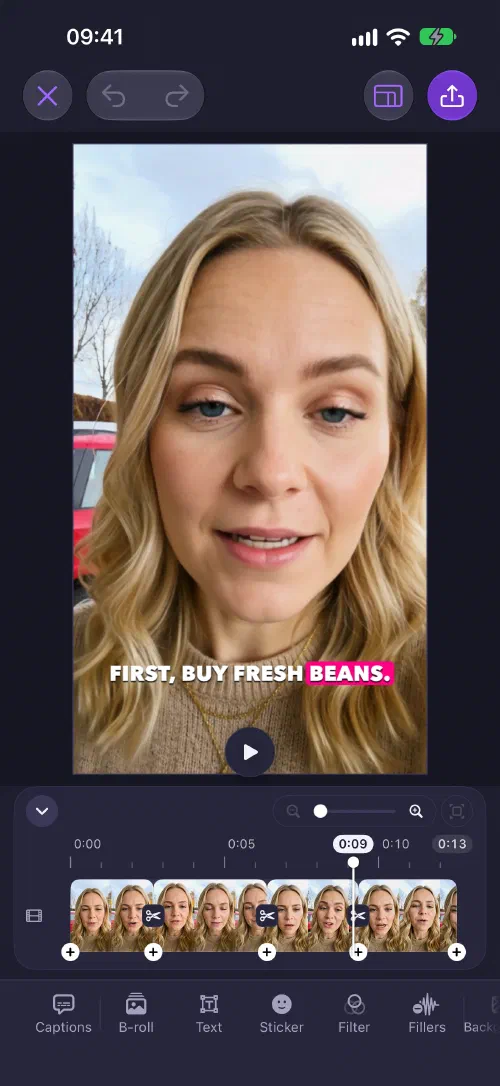
Bring in your takes.
Import several clips from Photos or Files. Captwick captions them on your iPhone, then you split at the playhead, trim an edge or long-press to reorder, and the captions move with their words.
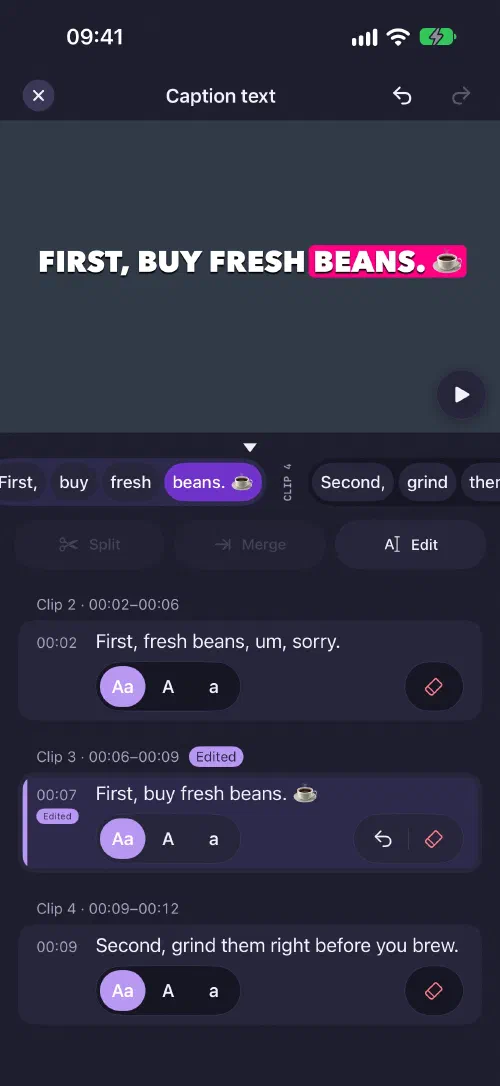
Fix any line.
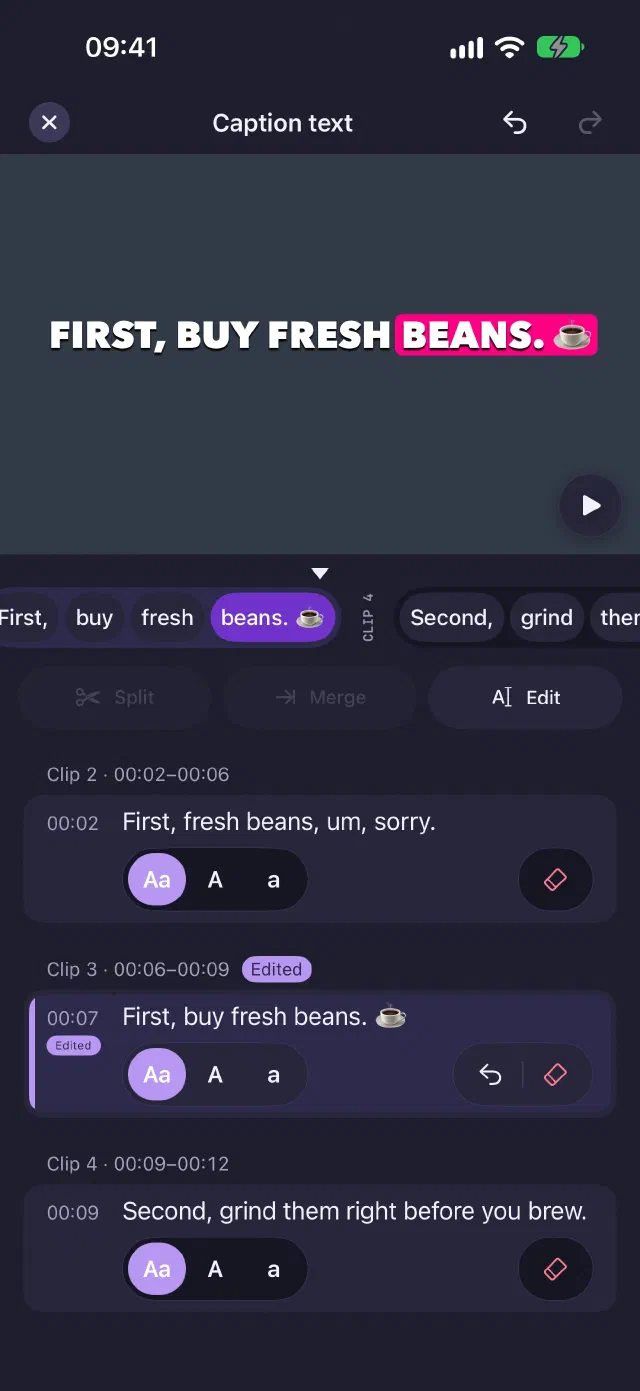
The captions list shows every line by clip. Words the recognizer is unsure of are underlined, so you know what to check, and lines you edit stay as you wrote them.
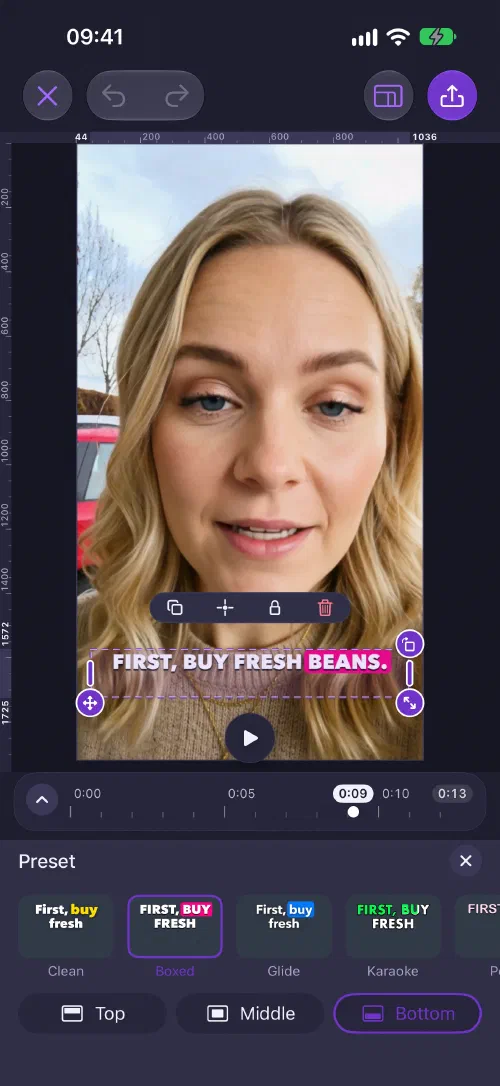
Make it yours.
Pick a caption style with word-by-word highlights, in your fonts and colors. Add transitions between clips, text, stickers and color filters, and set the volume of each clip.
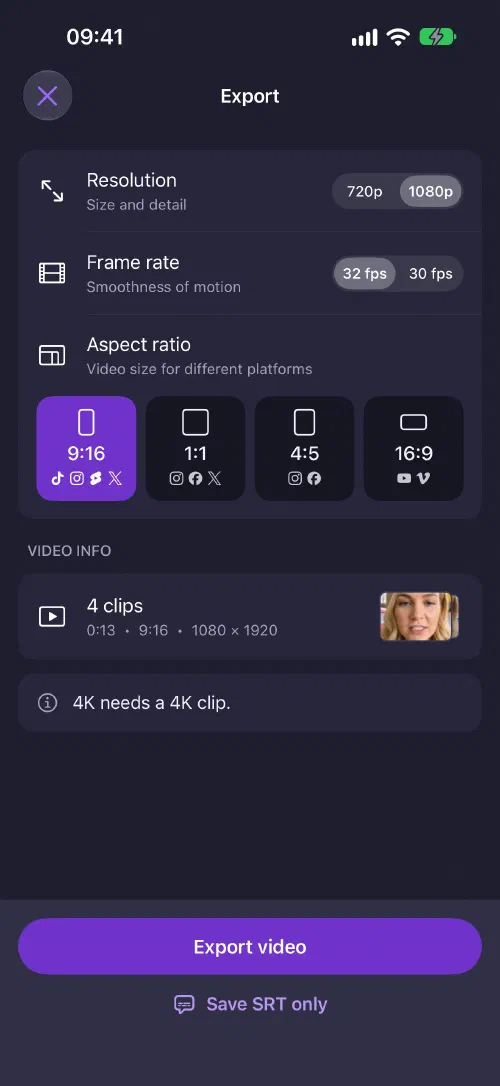
Export and post.
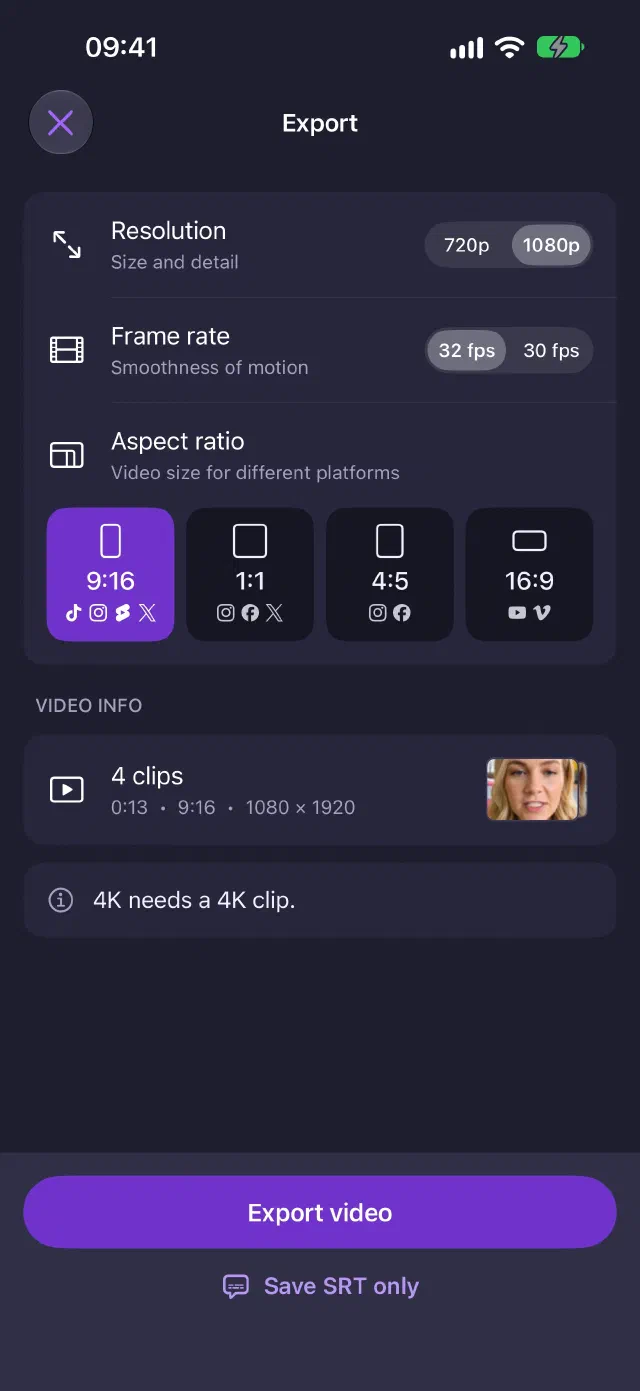
Export in 9:16, 4:5, 1:1 or 16:9, up to 4K at up to 60 fps to match your clips. Save the captions as an SRT file for YouTube or any other player, and save to Photos or share from the app.
Bring in your takes.
Import several clips from Photos or Files. Captwick captions them on your iPhone, then you split at the playhead, trim an edge or long-press to reorder, and the captions move with their words.
Fix any line.
The captions list shows every line by clip. Words the recognizer is unsure of are underlined, so you know what to check, and lines you edit stay as you wrote them.
Make it yours.
Pick a caption style with word-by-word highlights, in your fonts and colors. Add transitions between clips, text, stickers and color filters, and set the volume of each clip.
Export and post.
Export in 9:16, 4:5, 1:1 or 16:9, up to 4K at up to 60 fps to match your clips. Save the captions as an SRT file for YouTube or any other player, and save to Photos or share from the app.
Caption this week's video in minutes.
Import, captions and every edit are free, and a single-clip video exports with a small watermark. Captwick Pro exports videos made of two or more clips, removes the watermark and unlocks Pro stickers and filter looks.